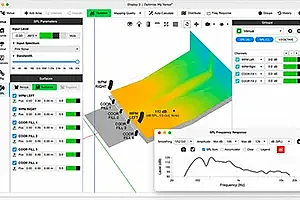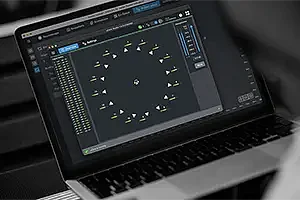

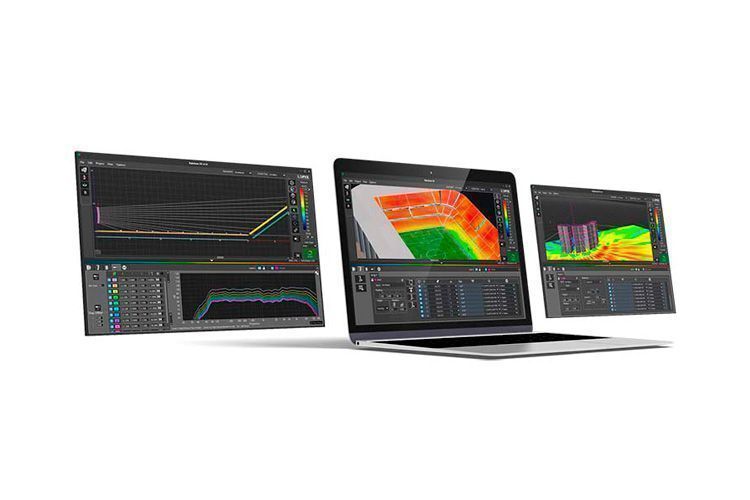
The R&D department of Lynx Pro Audio has developed Rainbow 3D, a new acoustic simulation software in a dynamic 3D environment. With a sophisticated design, Rainbow 3D stands out for its speed, capable of performing a simulation in just a few seconds.
As a technology developed by its engineers, they can adapt to their customers' needs, make improvements when necessary, and incorporate new tools.
Features
Designed from scratch by professionals
Despite the existence of the old Rainbow 2D, this new software has been programmed from scratch by the engineers to achieve super-fast simulation and create a more attractive 3D environment. The simulation uses all the computer's cores through multi-threading techniques to run in a very short time.
The program can simulate all Lynx Pro Audio acoustic enclosures in a 3D space. For greater accuracy, spherical measurements of the systems have been taken, with up to a degree of precision, in the recently inaugurated anechoic room.
You can also include an unlimited number of listening zones and sound sources, allowing the simulation of all systems: subwoofers, arrays, columns, and individual boxes. The software detects the latest available updates for enclosures and software and allows them to be installed automatically.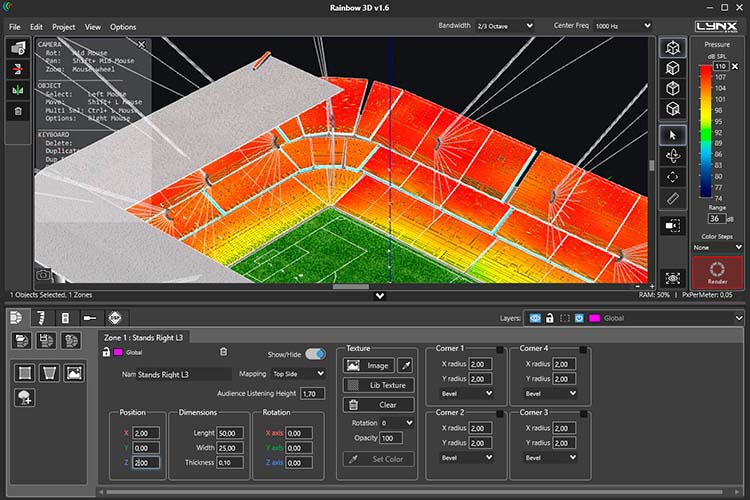
Complex-shaped surfaces
The program can simulate all Lynx Pro Audio acoustic enclosures in a 3D space, including classic side, top, and front views. Multiple listening zones can be defined, and it allows for offset positioning and the use of symmetry.
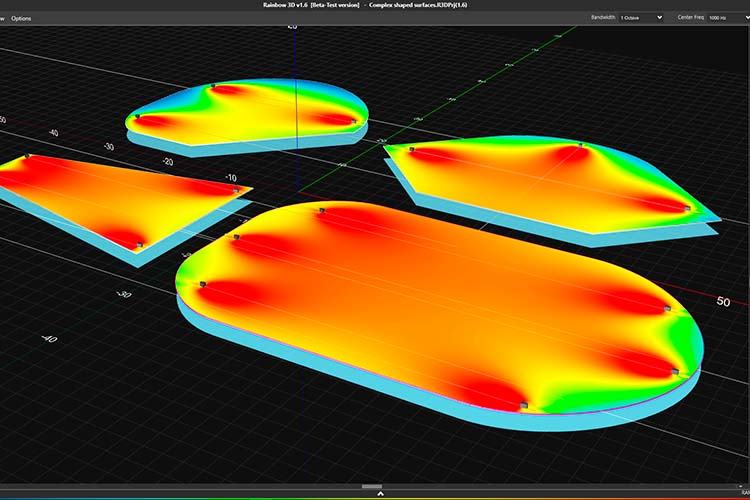
You can create surfaces with complex shapes as listening zones (venues): trapezoidal shapes, semicircles, circles, rectangles, and other asymmetric shapes. Each corner of a 4-vertex surface can be transformed independently as straight or rounded.
Plans, textures, and ornaments
You can load plans and use them as a reference point or template to reproduce the enclosure more realistically.
Additionally, you can add textures and ornaments (decorative 3D objects) to make the project more visually appealing.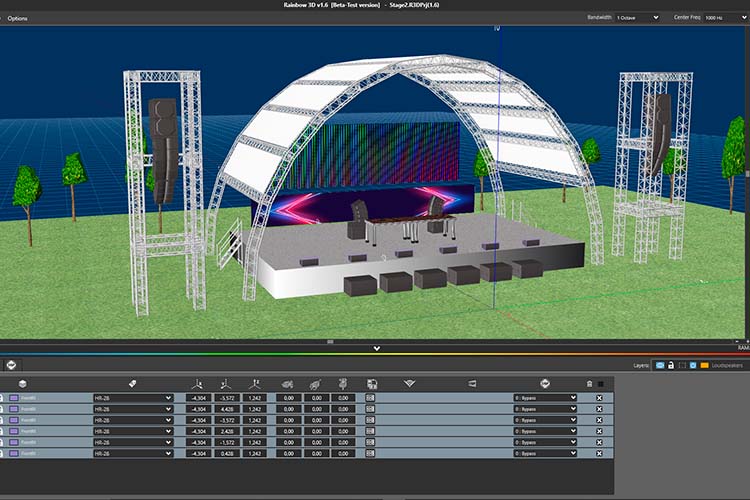
Unlimited sound sources
It allows acoustic simulation of an unlimited number of sound sources and audio systems.
You can place as many systems (subwoofers, line arrays, columns, and individual enclosures) as you wish, and you can even create your own custom sound system group.
Line arrays can be configured as stacked or flown. Additionally, you can create a group of systems (cluster) with any type of speaker available in the library.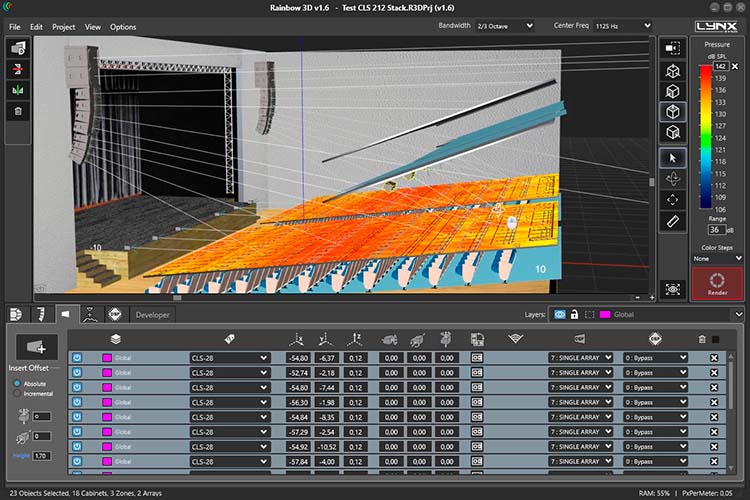
Create your own sound systems
You can select different enclosure models from the library, create a group with the desired configuration, and save them as a "Sound System." This way, you can create custom sound system groups with your own settings and reuse them in other projects, saving time.
To make this happen, you'll need to create a ".system" file. This file can be integrated into other projects with the "Load sound system from file" option, or you can import them directly into the library for access when needed with the "Insert sound system" option.
When you create a sound system, you can add a name, description, and image.
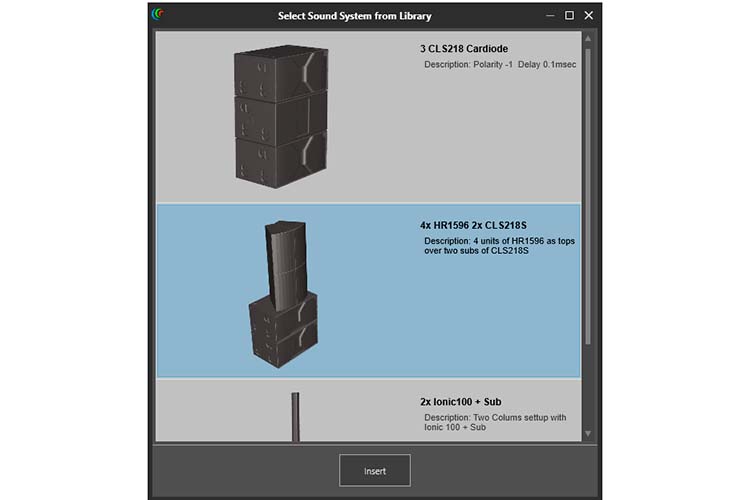
Enclosure clusters or groupings
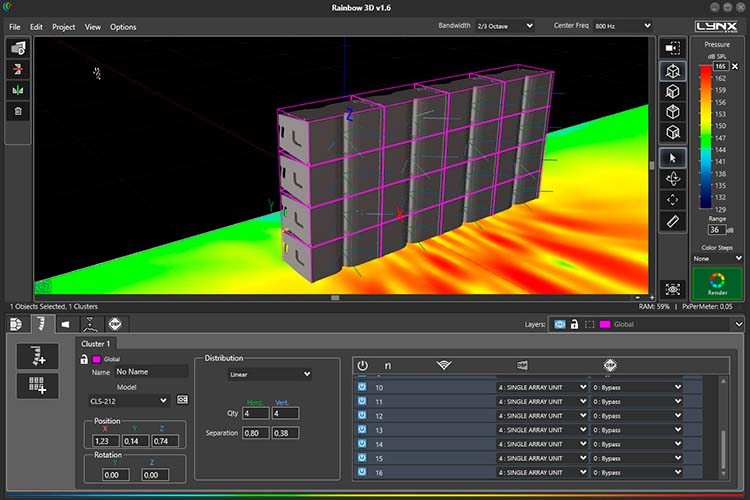
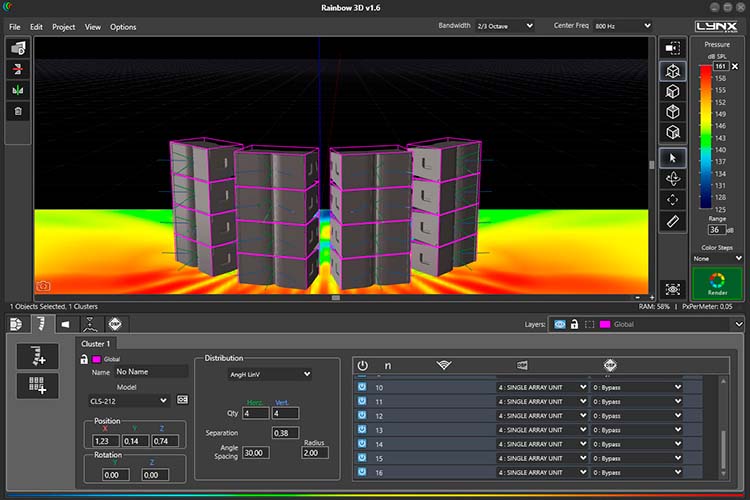
You can create an enclosure grouping or cluster by selecting the models you need from the library.
When you create a cluster, you can change the spacing (in meters) and the angle of the speakers within the group. They can be distributed linearly or angularly.
If you ever need to make a specific change to an enclosure within the cluster, you have the "Explode" tool to ungroup the cluster and convert it into individual enclosures.
 |
 |
Completed projects
You can create custom designs using various editing and productivity tools:
- Create surfaces
- Duplicate
- Apply symmetry in X and Y
- Show/hide surfaces
- Change dimensions
- Change position
- Change rotation
- Take screenshots
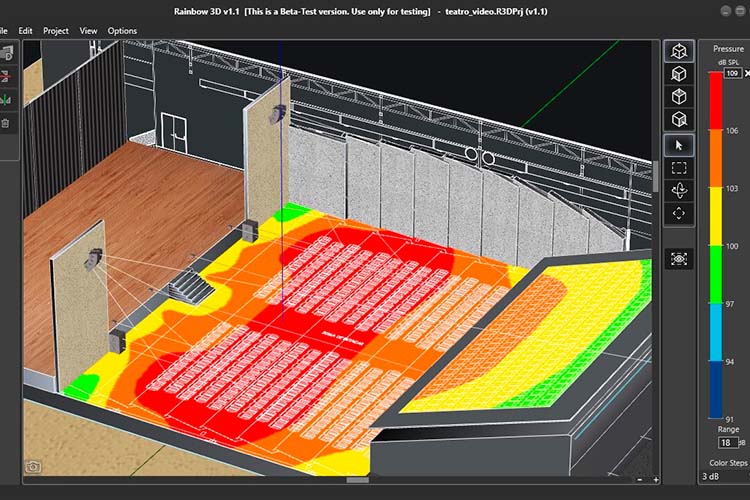
Examples of projects you can create:
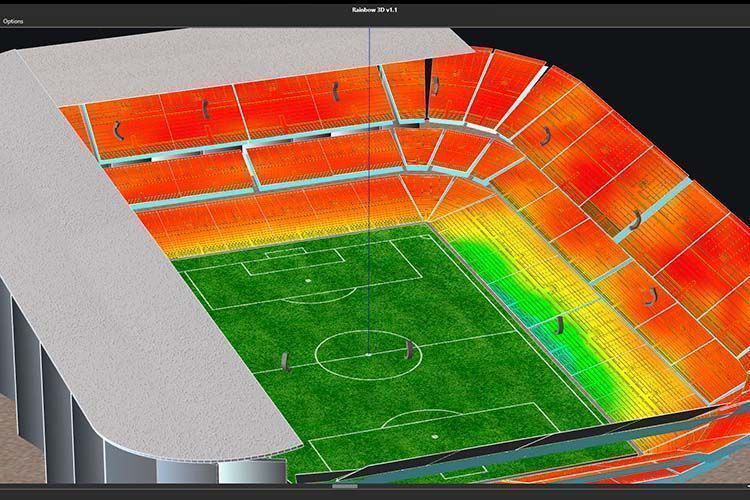
- Stadium: design of a stadium with multiple line array sound systems and predictions for all stands. In this design, they have created multiple surfaces, moved and duplicated them to speed up the design. They have also used grass texture for the field and images representing the lines of a soccer field and the stands.
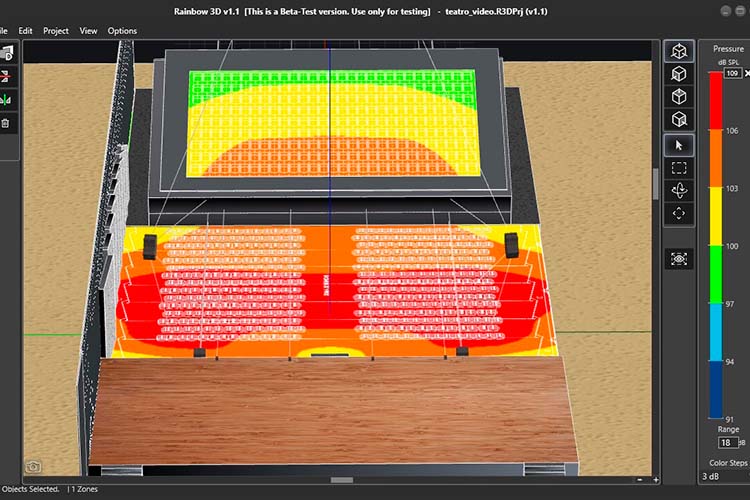
- Theater: design of a theater with acoustic prediction. They created the theater audience with a PNG plan and the balcony in an elevated position to give it a realistic look. They also used textures for the walls and the stage.
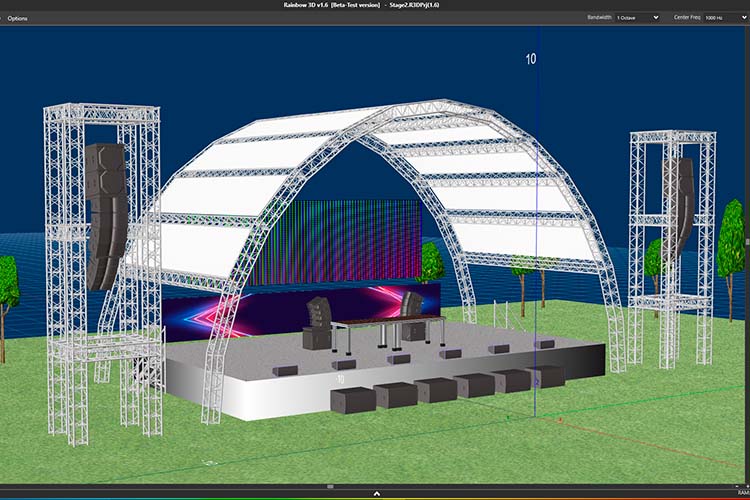
- Stage: in this design, they have tried to represent a stage with multiple sound systems: they created the DJ table with their respective systems, stage monitors, subwoofers, and line arrays on both sides of the stage. The project can be built more quickly using symmetry and duplication tools.
 |
 |
 |
Layer organization
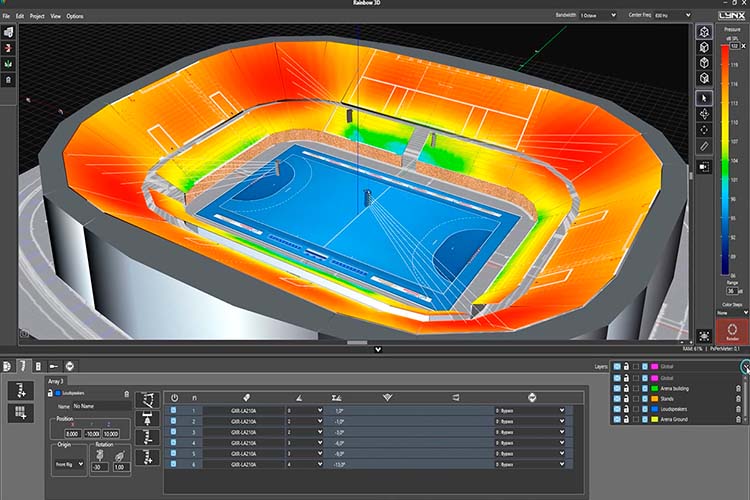
To work more organized, you can create multiple layers, assigning them different names and colors for distinction. All elements within a layer can be selected and/or moved between them. You can also lock a layer, delete it, or disable speakers for simulation.
DSP processing on sound sources
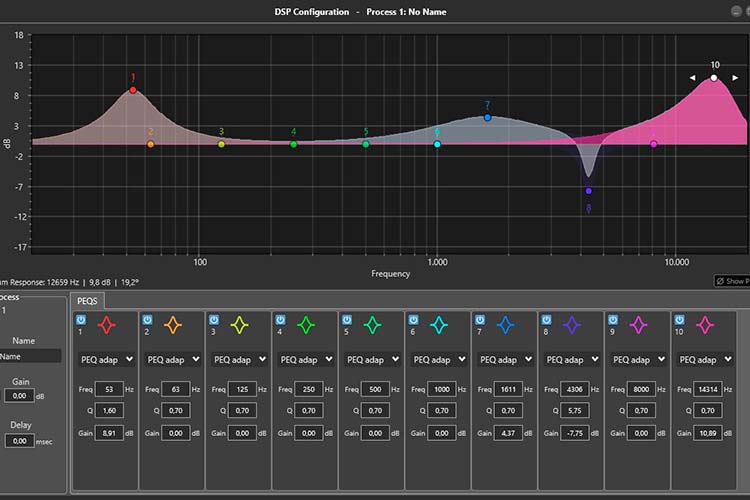
You can add DSP processes to sound sources for corrections and sound optimization, using equalization filters, gain, and polarity inversion.
In the near future, the software will have direct communication with Lynx Pro Audio enclosures.
Multiple measurements and tools
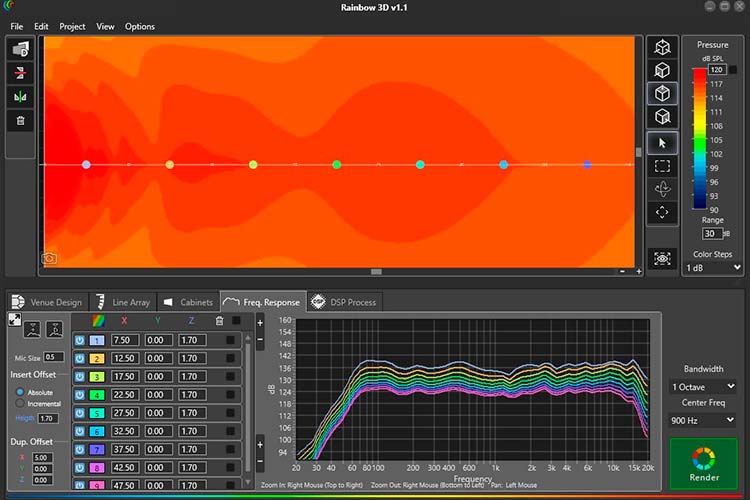
The R&D department has developed multiple measurement and data analysis tools. For example, you can add virtual microphones that display frequency response at specified points.
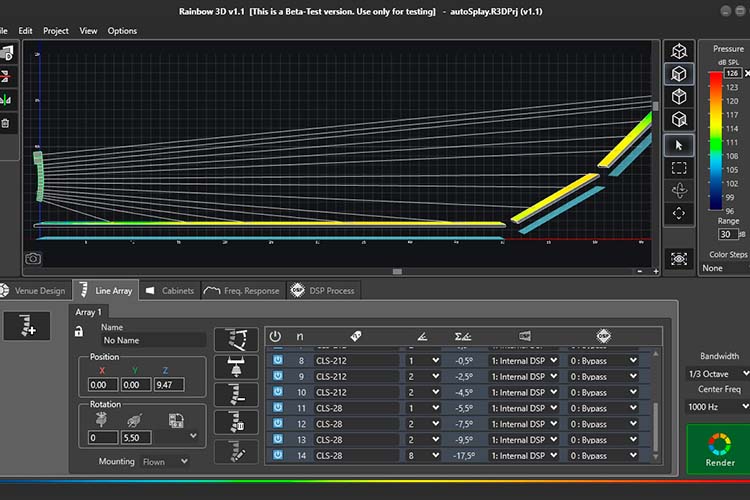
Among other tools, there is an assistant for setting up different line array configurations, an automatic line array visualization tool, and a ruler for taking measurements (in meters) in the 3D scene.
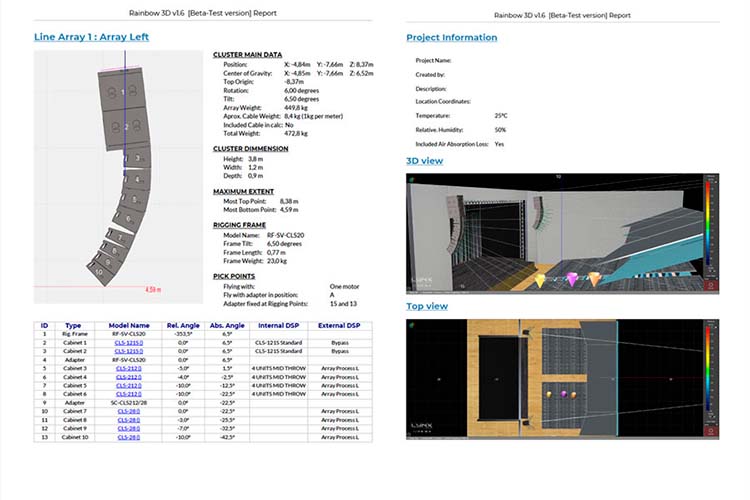
A PDF report can be generated with extensive information that includes 3D views of the project, as well as a list of surfaces and speakers with configuration and equalization data.
 |
 |
 |
System Requirements
These are the minimum requirements for a computer to run Rainbow 3D properly:
- Supported operating system: Windows 10 64-bit or newer versions.
- Processor and RAM: 64-bit core at 2 GHz or higher; RAM: 8 GB or higher.
- Graphics and screen resolution: 3D graphics: Direct3D 11.1 or higher; screen resolution: 1440 x 900 or higher.
- Hard drive: a minimum of 2GB of free hard drive space is required for a complete installation with all libraries.