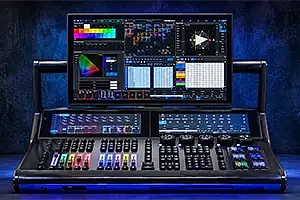
DiGiCo recently announced the launch of its new software, Version 22, designed for all Quantum and SD consoles. This update introduces features and enhancements that optimize workflow and the live sound mixing experience.
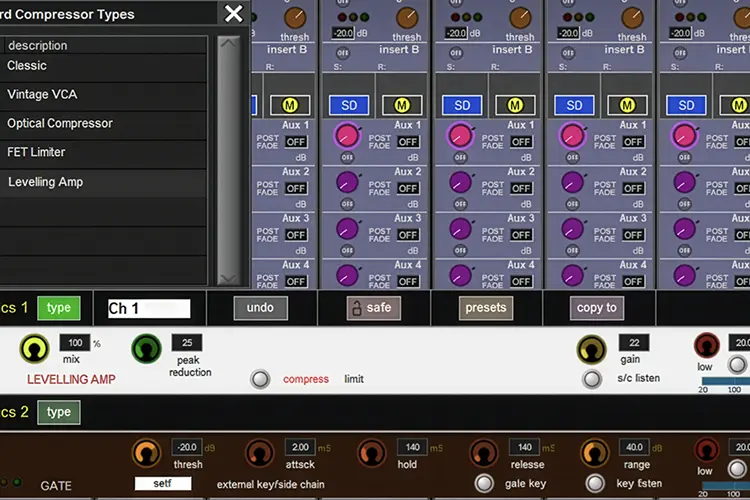
Mustard Levelling Amp
Mustard, available on Quantum consoles, is a premium channel strip that can be inserted across all types of channels and provides sonic processing based on highly sought-after industry-standard processors.
DiGiCo added the Mustard Source Expander in V20, and now, with V22, introduces its new Mustard Levelling Amp, the Silver One. This processor is based on the classic electro-optical tube compressor design, adding warmth and body to sources such as vocals and bass while maintaining their dynamic content.
Snapshot Setlists
DiGiCo’s Snapshots panel has been updated, adding new functionality. Snapshots can now be easily reordered using Touch and Move, and the Snapshots Overview panel mirrors all view options from the main panel, providing continuity between the Master and Overview screens.
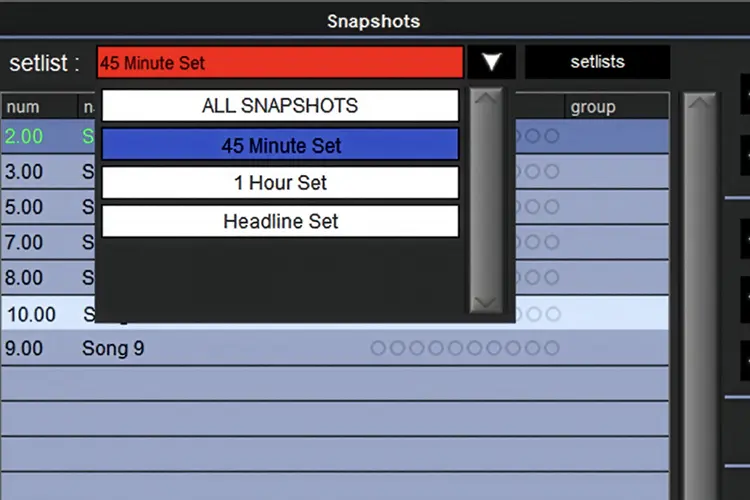
With V22, Setlists have also been added to the Snapshots panel. This highly requested feature allows users to quickly and easily build custom shows from a library of snapshots. By default, the All Snapshots list includes all snapshots in a session. From there, additional setlists can be created, with snapshots added or removed as needed. The console will only recall snapshots from the active setlist. Additionally, snapshots within setlists can be arranged in a different order from the main list, and the console will execute them in that custom order. For example, during festival season, an artist may change the length of their set each day, prompting the engineer to create specific 45-minute, one-hour, or headliner setlists for easy show selection.
Snapshot Recall Times
As more productions use timecode to manage shows, V22 updates the Recall Times panel within the Snapshots section. Previously, snapshots could capture a recall time at the point of insertion; now they can update their recall time directly from timecode by pressing the Update Recall Times button. Since productions often evolve, DiGiCo has also added timecode offset adjustments, allowing recall times for one or multiple snapshots to be easily modified.
Aux To Faders Includes Groups
DiGiCo’s advanced internal routing system allows users to direct virtually any signal to any destination within the console. Groups have always been able to send to Auxes, and now, with V22, they can also be included when enabling Aux to Fader. By default, all groups except the Master are included in the Aux to Fader selection, and these can be modified at any time. If a group is enabled for Aux to Fader and is part of a Control Group with Aux Sends active, the Control Group fader will provide the same ±18 dB control as input channels within that group when in Aux to Fader mode.
Macro Panel Updates
Version 22 introduces significant improvements and new features to the Macro panel. First, Macros can now be reordered for easier navigation. Second, when searching for a Macro command, the command types column filters categories where the search term exists. New Macro commands in V22 include Switch to Bank, which brings a specific fader bank to the surface, and Set Security Mode, which puts the console directly into Live or Unattended mode without navigating through the Security Panel.
For Quantum112 and Quantum852 users, DiGiCo has also added a search function to the Macroder and Channel Macros panels. Additionally, when a Macro is used on a Quantum112 to set the console into Surface Offline mode, an indicator is displayed in the console’s top bar.
Sound Devices Integration
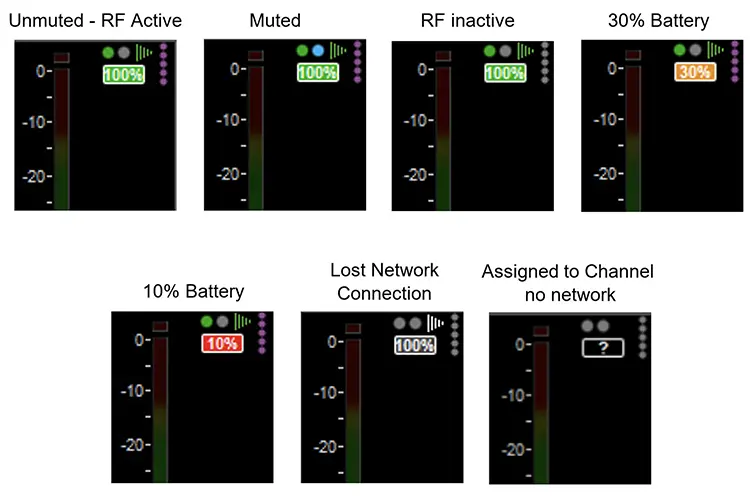
The latest software update expands integration between DiGiCo Quantum consoles and the Sound Devices Astral range of wireless microphones. Within Audio I/O, users can assign RF channels from Astral devices to sockets within a session. When these sockets are routed to a channel, data from the Astral receiver—including battery level, RF quality, NexLink signal strength, on/off status, and mute status—is displayed at the top of the channel.
LiveTrax 3 Integration
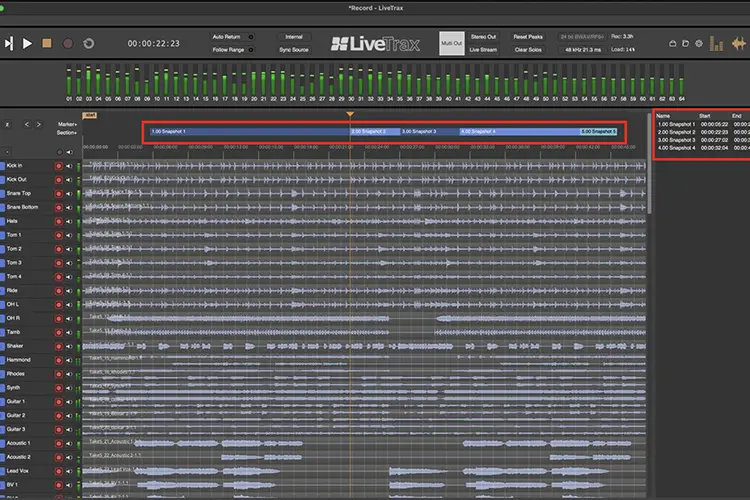
Harrison provides innovative software solutions for the live and studio markets. Alongside the launch of LiveTrax 3, V22 introduces a new integration that creates an advanced recording and virtual soundcheck system. When integrated, channel names from the console session can be imported into the LiveTrax project and updated at any time. Control functions such as record and playback are available directly from the console, and whenever a snapshot is triggered, a corresponding section with the same name is automatically created in the LiveTrax project, if enabled. When playing back from LiveTrax to the console, triggering a snapshot automatically moves the playhead to the corresponding section and starts playback from that point.
Workflow Improvements
Often, it’s the small details that make the difference. Some of the workflow improvements in Version 22 include: collecting diagnostic files directly from the console application; when copying Aux levels from stereo to stereo Aux, pan data is also included; when an Aux node is set to control KLANG, the pick point location is hidden, as KLANG does not use it; and Mustard Dynamics gain reduction and gate status are now displayed in the channel overview.
Customers know that purchasing a DiGiCo console is just the beginning, as our R&D team continuously works to introduce new features and improve performance. Version 22 is a clear example, enhancing both older and newer consoles and helping them maintain peak performance for longer, said Austin Freshwater, Managing Director of DiGiCo.
Image captions
- DiGiCo_V22_1 – New Mustard Levelling Amp (Silver One)
- DiGiCo_V22_2 – Snapshot setlists
- DiGiCo_V22_3 – Sound Devices integration
- DiGiCo_V22_4 – LiveTrax 3 integration